




 We deliver to lockers!
Pick up your orders anytime, hassle-free!
 Fast Delivery!
Orders placed by 2:00 PM are shipped the same day. Delivered within 24h!
 2-Year Warranty
Reliable products, worry-free!
 Easy 14-Day Returns
Unused items? No questions asked!
 |
Original ProductAuthorized Arduino® Distributor |
Need a larger quantity?We offer original Arduino products both from our stock and directly from the manufacturer, in any desired quantity, at negotiable prices, with delivery in approximately 2 weeks or even sooner. Additionally, you can order any Arduino product from us, even if it is not listed in our website's offer. Contact us for more details and to benefit from personalized offers! |
DescriptionThe Arduino UNO R4 WiFi combines the processing power and exciting new peripherals of Renesas' RA4M1 microcontroller with the wireless connectivity power of Espressif's ESP32-S3. Additionally, the UNO R4 WiFi offers a built-in 12x8 LED matrix, Qwiic connector, VRTC, and OFF pin, covering all potential needs that makers will have for their next project. With the UNO R4 WiFi, you can easily upgrade your project and add wireless connectivity to extend the reach of your current setup. If this is your first project, this board has everything you need to spark your creativity. Let's explore what the UNO R4 WiFi offers:
With all these features packed into the well-known UNO form factor, now is the perfect time to upgrade your project or start your maker journey. The UNO R4 WiFi offers unparalleled versatility and possibilities for makers of all levels. If you're looking for a simpler version of the Arduino UNO R4, you can check out the Arduino UNO R4 Minima. Specifications |
| Board | Name | Arduino® UNO R4 WiFi |
| SKU | ABX00087 | |
| Microcontroller | Renesas RA4M1 (Arm® Cortex®-M4) | |
| USB | USB-C® | Programming Port |
| Pins | Digital I/O Pins | 14 |
| Pins | Analog input pins | 6 |
| DAC | 1 | |
| PWM Pins | 6 | |
| Communication | UART | Yes, 1x |
| I2C | Yes, 1x | |
| SPI | Yes, 1x | |
| CAN | Yes, 1 CAN Bus | |
| Power | Circuit operating voltage | 5 V (ESP32-S3 is 3.3 V) |
| Input voltage (VIN) | 6-24 V | |
| DC Current per I/O Pin | 8 mA | |
| Clock speed | Main core | 48 MHz |
| ESP32-S3 | up to 240 MHz | |
| Memory | RA4M1 | 256 kB Flash, 32 kB RAM |
| ESP32-S3 | 384 kB ROM, 512 kB SRAM | |
| Dimensions | Width | 68.85 mm |
| Length | 53.34 mm | |
|
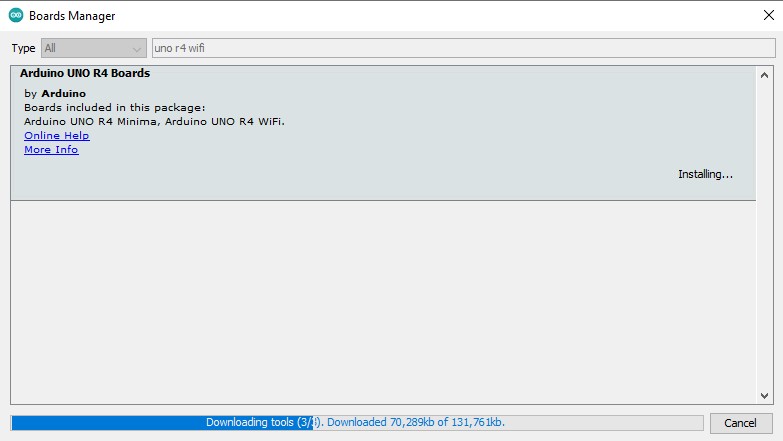
To program the board, you need to install the "Arduino UNO R4 Boards" package.
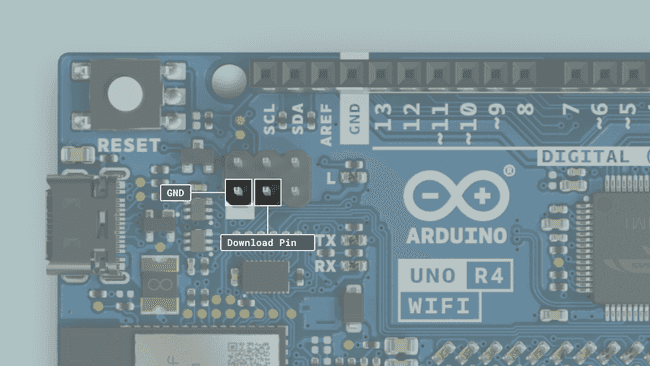
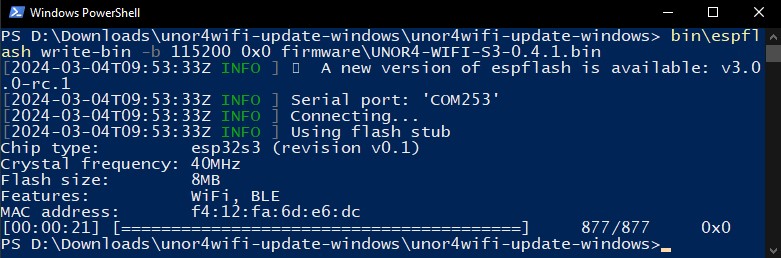
Rewriting the Arduino UNO R4 WiFi Firmware:The development board features two different microcontrollers: a Renesas RA4M1 and an ESP32-S3. By default, the ESP32-S3 module acts as a serial bridge, handling the connection with your computer. It also manages restarting the main MCU, the Renesas RA4M1, when necessary—for example, when a new sketch is uploaded and a reset is required. The UNO R4 WiFi also exposes the ESP32’s data lines, so you can program the ESP32 directly. These data lines are available via a 3x2 header at the top of the board. WARNING: Please note that the ESP32 comes with default firmware installed, set to communicate with the RA4M1 chip. Any direct programming of the ESP32 will erase that firmware, and the communication between the chips may be disrupted until the default firmware is restored. Required Hardware and Software:
|

Specific References
Your review appreciation cannot be sent
Report comment
Report sent
Your report cannot be sent
Write your review
Review sent
Your review cannot be sent
Reference: DKLZOL_USBC_DECOY_12
Reference: DQYNCA_FDP-FF-40x20
check_circle
check_circle